


Learning a concept once rarely means it’s learned for good. Students need repeated, varied opportunities to work with an idea before it truly sticks. However, creating enough varied practice activities to keep students engaged without relying on the same worksheet format takes real time and creativity. The LabXchange library offers a range of resources to help students revisit, apply, and solidify what they’ve learned.
Let’s explore some approaches to practicing a concept, along with how to find the right resource for each.
After a period of instruction, giving students opportunities to explore a concept more deeply on their own can help reinforce what they’ve learned. LabXchange’s wide range of resource types across a variety of concepts and topics lets you offer this reinforcement in ways a single textbook often can’t.
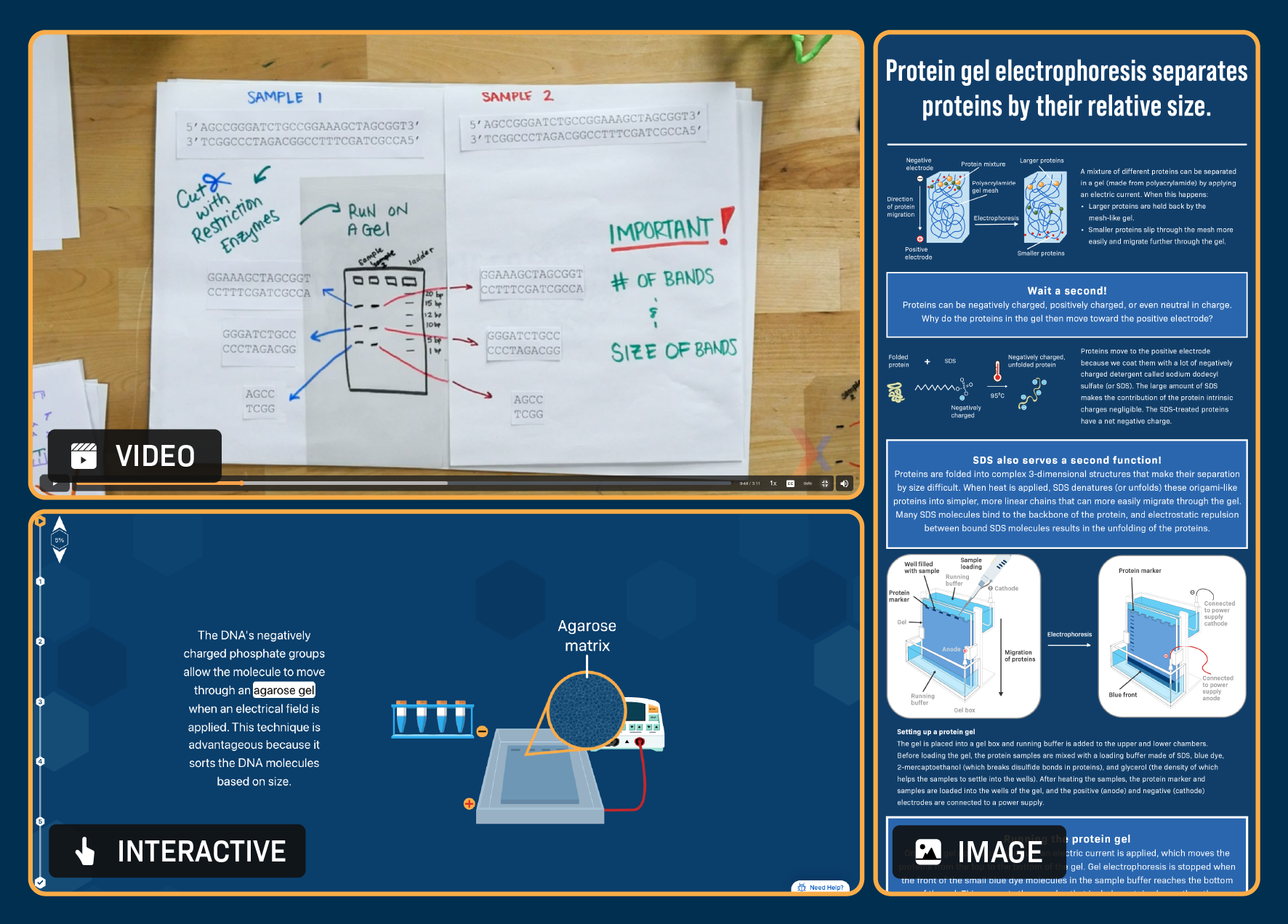
After teaching electrophoresis, you could reinforce this complex topic by assigning a few different resources, each approaching it from a different angle, like the 3 above.
You could run this as a jigsaw activity—split students into groups, assign each group 1 resource, and have them summarize and present it to the class—or simply let students choose which resource to explore or work through all 3 individually as a set of short reinforcement activities. Either way, students reinforce the same core concept while encountering it from different angles.
Filter for Texts, Case Studies, Videos, or Interactives in your subject area. Don’t feel limited to LabXchange-authored content. Many other sources in the library offer novel, engaging framings of the same concept for students to explore.
Once a concept or skill has been introduced, one of the trickiest things can be finding enough varied practice opportunities for students to apply it in new contexts. Many LabXchange simulations address this challenge by letting students’ experimental choices—which variable to test, what conditions to set—shape the outcome, so no 2 attempts play out quite the same way. This also makes simulations a useful comparison tool even after an in-person lab: if a class’s results were inconclusive or didn’t turn out as expected, students can use a simulation to try different approaches and see how the outcome changes in response.
Filter for Simulations in your content area and look for those that ask students to select experimental design factors or submit predictions before running the experiment—that’s usually a sign that the outcome will vary based on their choices, giving students a genuine range of results to work with.
A few collaborator simulations are also worth filtering for directly since they take a slightly different approach:
PhET simulations generate real-time experimental data for students to analyze as they interact with the model.
Simulations from Jon Darkow use computational models to represent biological concepts and are well suited to teaching scientific practices like experimental design and data interpretation.
The LabXchange library includes a range of recall- and application-based questions and question sets across many topics. Images can also double as useful study aids or reference sheets for review.
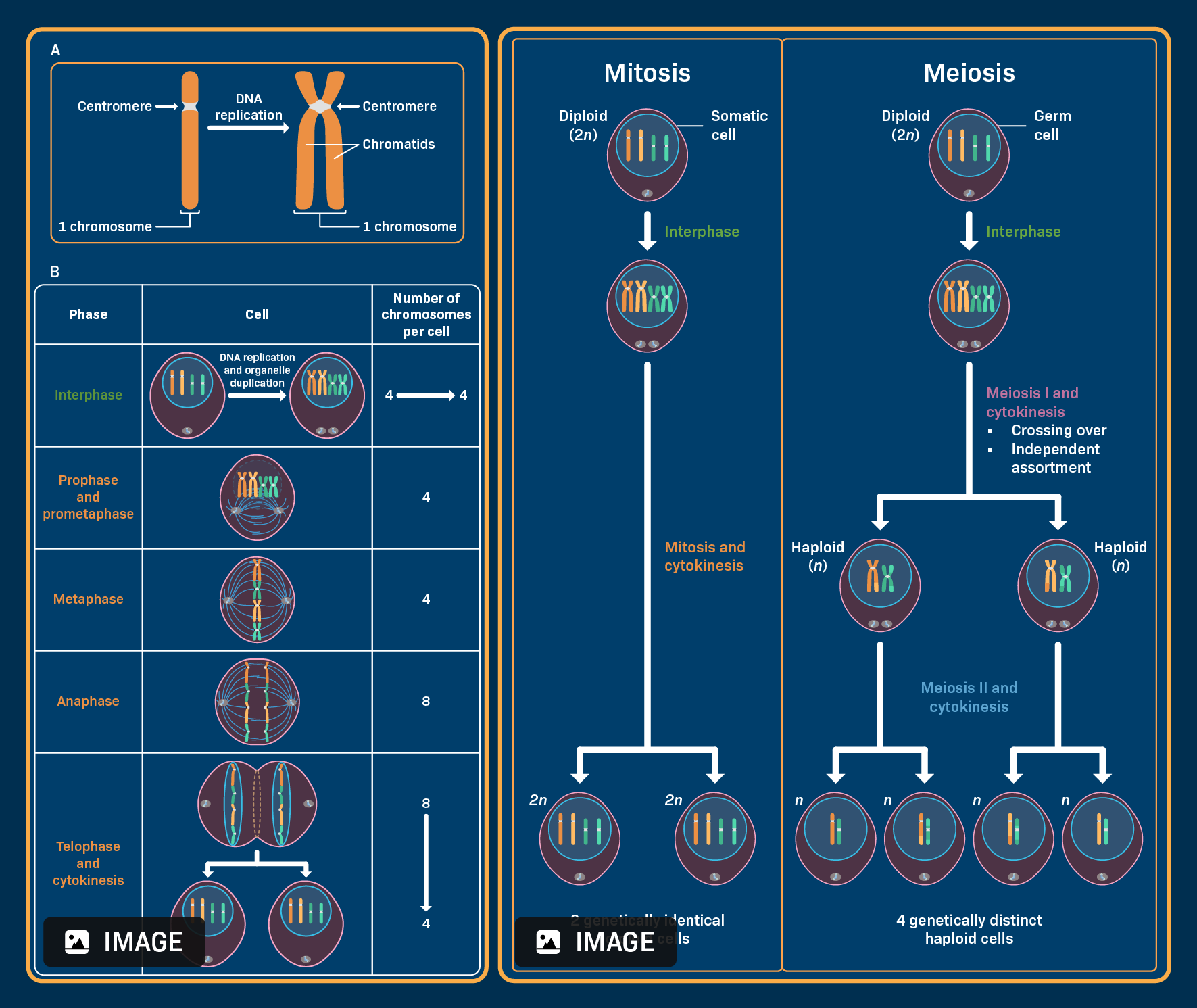
When helping students review for an assessment on cell division, you could point them to the comparison infographics above as quick study aids. These resources tackle tricky vocabulary and common misconceptions in an easy-to-follow visual format, giving students a clear reference for checking their understanding before test day.
Filter for Questions or Question Sets in your subject area. You can also look at Case Studies or check the Resources block for worksheets accompanying relevant simulations that include more analytical, reasoning-based practice.
Filter for Images for visual summaries of key concepts or processes.
If you’re having trouble finding questions on a specific topic, try filtering for Pathways instead of Questions. Many pathways include a curated question set built around their content, so someone may have already done the work of collecting relevant questions for you.
With practice activities in place, the next question is how to make sure they work for every student in the room. In the next module, we'll look at using digital resources to provide students with varying levels of support to meet their unique needs.
.svg)

.svg)


